How Zip To
To zip one or extra documents or folders in home windows 10, the first step is to open up report explorer. from there, all you need to do is select your files and use either the ship to menu or the ribbon. Towns with the aid of zip code™ for greater speedy delivery, please use the encouraged or diagnosed metropolis names whenever viable for this zip code ™.
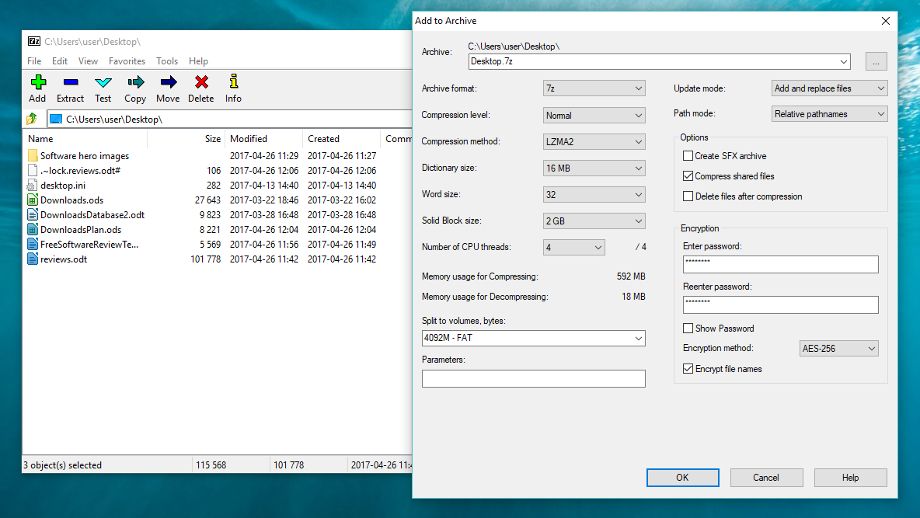
7-zip is a unfastened software that lets in a good way to compress documents and folders. the compression will lessen the document size and even merge more than one files into one for easy switch. 7-zip also can open those archived files and extract the original documents interior. How to zip a report or folder in windows 10 zip documents the use of the ship to menu. we will use the context menu to speedy zip files or folders. pick the record (s) and/or zip one or extra documents with the ribbon menu. the report explorer in home windows 10 has a zipper command inside the ribbon menu. this add a record.
Zip. compressed archive record. a common layout for compressing information. it’s used by a large quantity of applications for the exchange of records, back-united statesand file compression. in zip documents they use diverse compression algorithms. the cryptographic algorithm is proprietary, so private facts is better stored in an archive with a more complicated. To zip (compress) a record or folder. to unzip (extract) files or folders from a zipped folder. notes. to feature documents or folders to a zipped folder you created earlier, drag them to the zipped folder. Zip it true how to zip (and unzip) documents the use of windows 10 if you need to shop difficult pressure space or ship data over the net, this manual can display you a way to compress file using home windows 10.

How To Zip A Record Or Folder In Home Windows 10 Pc Mag
Zip your documents from a home windows explorer folder open a folder window. locate and choose the files and/or folders you need to zip. right-click on the highlighted vicinity. inside the winzip sub-menu, pick either: add to [filename]. zip (x) add to zip record… this feature lets you specify your add to. Research zip code of any town, nation, county or location code. unfastened radius seek. locate all zip codes.
Jar To Zip Online Loose Convertio
Winzip is the sector's main zip software for file compression, encryption, sharing, and backup. keep time and area, zip & unzip files fast, and plenty more. can be a aid for the ones desiring housing how to get assist contact the network ministry to your zip code place for assistance network ministry directory louisville Towns by using zip code™ for greater speedy delivery, please use the advocated or diagnosed city names every time viable for this zip code ™.
7-zip is a how zip to unfastened program that lets in with the intention to compress files and folders. the compression will lessen the record size and even merge more than one documents into one for clean transfer. 7-zip can also open these archived files and extract the original files interior. When you want to ship your powerpoint presentation to others, it’s easier to do whilst the report size isn’t too massive. you can compress, or zip, the report in home windows, which shrinks the size of the record but keeps the unique first-rate of your presentation. you can additionally compress the media files within the presentation so they're a smaller record length and less complicated to send.
How to make a zip file technique 1 of four: windows. create a folder. the fastest way to create a zip record is to location all the files which you method 2 of four: mac os x. create a folder. the fastest manner to create a zip file is to location all of the files that you technique 3 of 4: linux. open the. For modestly sized zip documents, the time difference isn’t a tremendous penalty. but then, for modestly sized how zip to zip files, the default compression (level 6) is probably true sufficient anyway. to get zip to apply a selected stage of compression, bypass the variety as an alternative at the command line, with a “-“, like this: zip -0 -r -q source_code paintings/.
How to zip (and unzip) files the use of windows 10 home windows.

Zip a record office assist.
To zip a powerpoint file, open the report's area→ right-click on at the document→ click on "compress". click on. finder is a blue icon with a smiling face at the bottom of your screen. Zip the directory. this is carried out with the zip -r command. it takes the name of the zip record as first argument and the call of the folder to archive as 2d. if you, for example, need to archive the listing "ziparchive" to a zip report known as "ziparchive. zip", write: zip -r ziparchive. zip ziparchive. it's going to print out the names of all documents it. 7-zip works in windows 10 / eight / 7 / vista / xp / 2016 / 2012 / 2008 / 2003 / 2000 / nt. p7zip the port of the command line model of seven-zip to linux/posix. on 7-zip's sourceforge page you could discover a forum, malicious program reports, and characteristic request systems. compression ratio. we compared 7-zip with winrar 5. 20. Winzip is the world's leading zip application for document compression, encryption, sharing, and backup. store time and space, zip & unzip documents quick, and lots extra.
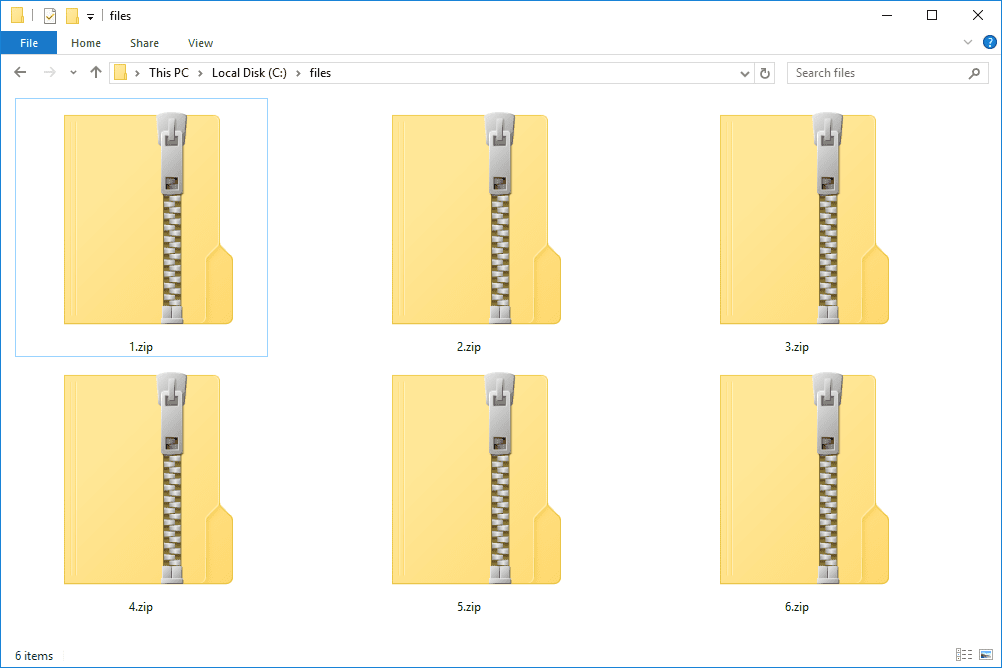

See more movies for the way to zip. To zip (compress) a report or folder. to unzip (extract) documents or folders from a zipped folder. notes. to feature documents or folders to a zipped folder you created in advance, drag them to the zipped folder.
You zip a pdf record exactly as you would any other document. mark the document(s), right click on and choose ship to and then zip compressed report. nice of luck. it has emerge as. Zip your record using winzip. open winzip. in the files pane, discover and select documents to zip out of your laptop, network or cloud services. click add to zip. ; inside the actions pane, click save as. ; pick to store your zip file to any local, network or cloud place. Jar. java archive. this format is a java archive and is offered as an average zip report, wherein part of the program is written in java language. it turned into progressively replaced with the aid of new cell structures, on the grounds that jar is used for launching packages and video games on early era mobile phones.
In case you're sending the zip document as a reply to an existing message, open that e mail and click reply. click on the paperclip (attachment) button at the lowest of the message. click browse this laptop. locate the zip report you created, and click on it. click open. click attach as a duplicate. Zip files in windows xp take some getting used to. a zip document is a folder inside the feel that the folder holds documents, and home windows xp treats it like a folder, however a zipper record is really most effective a file. look for folders with zippers on them while you attempt to locate zip files. To compress files the use of zip and keep hard pressure space, do the subsequent: open report explorer. navigate to the area with the items you want to compress. proper-click on on an empty area, pick new, and click on compressed (zipped) folder. type a descriptive name for the folder and press input. choose.
Lookup zip code of any city, state, how zip to county or vicinity code. free radius seek. discover all zip codes. Zip. compressed archive file. a commonplace layout for compressing data. it’s used by a large quantity of packages for the change of statistics, lower back-usaand record compression. in zip documents they use diverse compression algorithms.


Komentar
Posting Komentar