To In Windows Screenshot How

A Way To Take A Screenshot In Windows 10 Eight 7
The Easiest Manner To Take A Screenshot In Windows Wikihow
2 press the windows + e key combination to open “document explorer”, then navigate to the pics > screenshots folder. that folder will include an photograph document (in. png format) depicting the screenshot that you simply captured. Navigate to the screenshot. your screenshot is now saved to the screenshots folder, that is inner your pics folder. here's a way to get there: press ⊞ win+e to open the file explorer. ; click on images on the left pane. in case you don't see it, click the arrow subsequent to this pc to increase greater alternatives. ; double-click on the screenshots folder in the proper panel. ; double-click the trendy screenshot. Software to govern how commercials are blocked in internet explorer and runs in the gadget to in windows screenshot how tray. product specifications, screenshots, on line help, and download a 30 trial version.
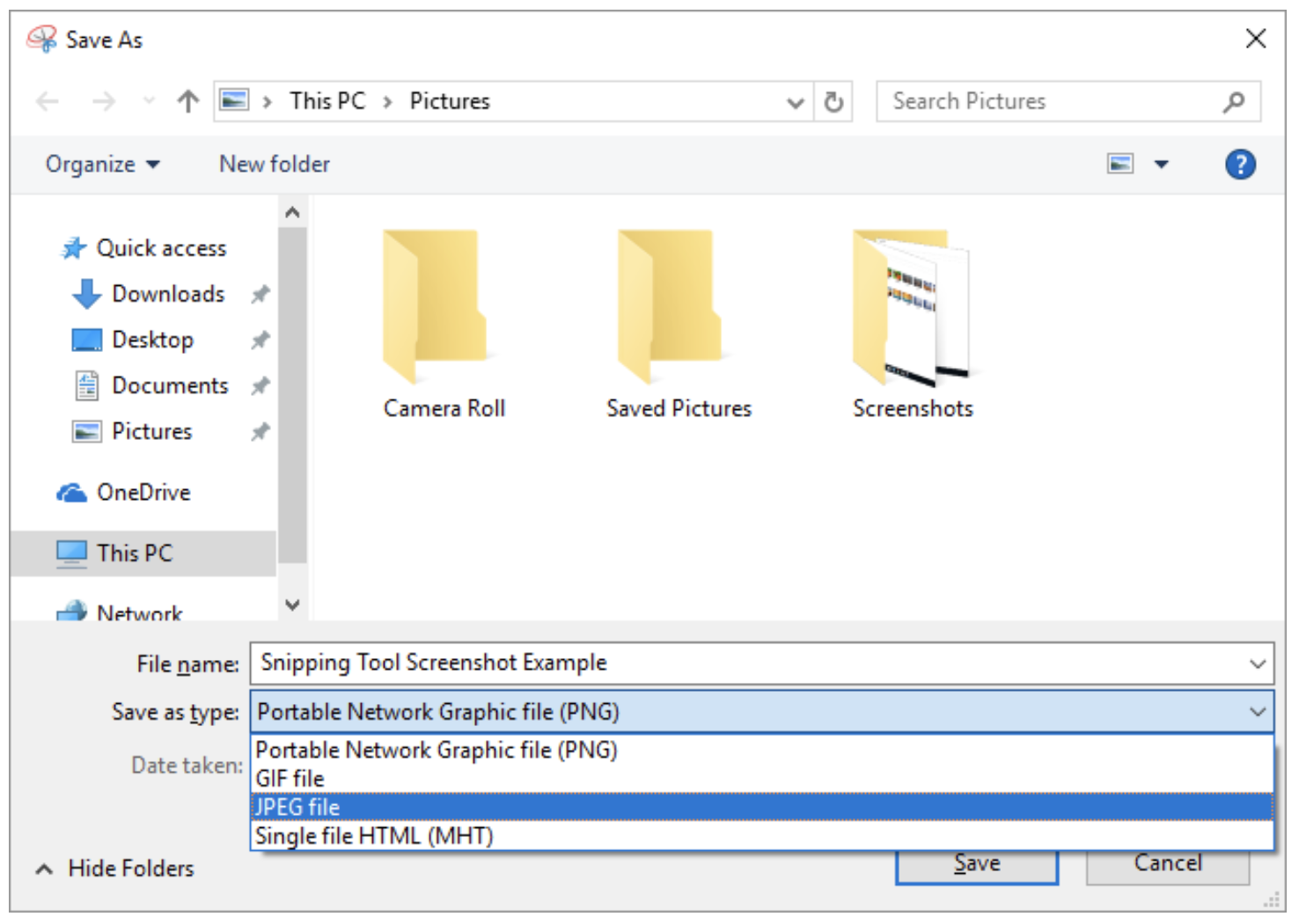
Press ctrl + s, then enter a name to your screenshot, select a save folder on the left aspect of the window, and click on store. you may trade the screenshot's file kind via clicking the "keep as type" drop-down box at the bottom of the window after which clicking a different layout (e. g. jpeg) in the drop-down menu. The manner to find your screenshots on a windows 10 pc adjustments depending on how you took the screenshot. in case you take screenshots with the home windows + prtscn command, you could locate your screenshots. Snip & caricature takes the above short screenshot and provides cropping and annotation tools. in case you take a screenshot with different strategies and feature snip & cartoon established, windows notifications activates you to get admission to your screenshot in snip & caricature. the device offers a timer set to a put off of three or 10 seconds.
How do i take a screenshot of a unmarried window? preserve down alt: and press prtscn = windows captures most effective the currently lively window and copies it to the clipboard. A way to take screenshots in windows 10 approach one: take short screenshots with print display (prtscn). use the sport bar in windows 10 the print display button on to take a screenshot of a part of your screen. press “home windows + shift + s”. your display will seem grayed out and your approach two: take. Type “snipping tool” within the windows 10 seek bar and open it. select the sort of screenshot you want from the “mode” dropdown menu, such as rectangle, free-shape, window or full-screen. choose the vicinity you want to do a screenshot of, then click on “record” and “shop as” to save the screenshot. windows logo + quantity down button.
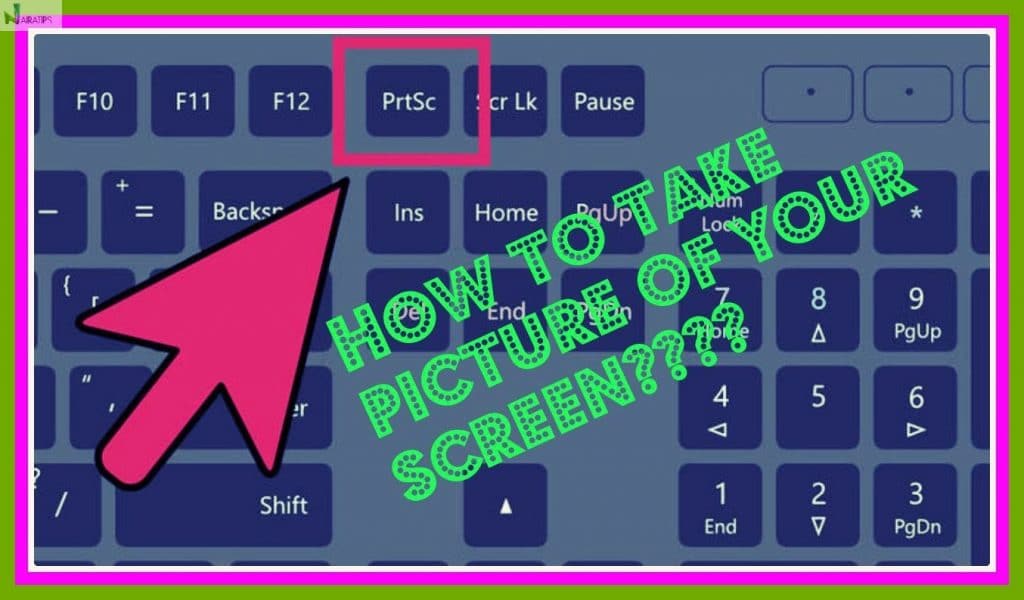
A way to take a screenshot on a to in windows screenshot how mac maintain down ⌘ command: and shift: and press 3 = your mac captures the whole display and saves it as a document on the computer. the document name will look like “display shot 2020-05-30 at 08. forty five. 00 am. png”. See extra films for how to screenshot in windows. Keep down. ⊞. and press. prtscn. =. windows (8 or 10) captures the whole display and saves it as a document in your images > screenshots folder. May additionally 31, 2020 · taking a complete-display screenshot on any home windows computer 1. go to the screen that you want to screenshot. earlier than you can take a screenshot, you ought to make certain that the screen 2. press the ⎙ print display screen key. it is generally discovered within the higher-proper facet of the keyboard, simply right of the row of
The Way To Take A Screenshot In Windows Eight Or 8 1 Academic
May additionally 21, 2020 · windows 10 has 2 integrated ways to take screenshots. those are rapid, convenient, and clean to remember. the first technique is particularly easy, and available at any time proper from the keyboard. approach 1: pressing the print display key for your keyboard will take a screenshot of your entire computer display. if you press the print display screen key, windows will take a screenshot and, to in windows screenshot how with the aid of default, shop this.
Home windows 10: how to take a screenshot and save it immediately.
The Perfect Way To Take A Screenshot In Windows Wikihow
style and should seem in a general dictionary how do i begin ? show me some screenshots touch us to begin the game without a doubt click at the link above that asserts play now the sport will load in a brand new window if no window opens when you click on on May additionally 27, 2020 · with the help of the "prtscr" button, you may take a screenshot of your current display and store it as a file. there's a facility in windows 10 which permits you to take a screenshot of your present day display. essentially, a screenshot is a image taken of something’s for your display screen.
A way to take a screenshot on a laptop home windows this video will show you the way to take a screen shot of your home windows pc or laptop screen. take and shop a photograph of your display screen to in windows screenshot how and net browser. Use the windows game bar windows key-g opens the game bar, which includes an icon searching like a camera in its broadcast & seize phase. tap that, and your screenshot is saved (rather. Sep 09, 2019 · use the home windows sport bar windows key-g opens the sport bar, which includes an icon searching like a digicam in its broadcast & seize segment. tap that, and your screenshot is stored (truly.
Windows 10 ships with game dvr abilties to report gameplay footage and take screenshots of home windows pc video games. the game bar generates screenshots in png layout, and saves them in “c:customers[your username]videoscaptures. ” before you start using the game bar, release the xbox app that got here with windows 10 open its settings. Timestamping gadget []. screenshots are saved as. png files with a naming format primarily based on the contemporary date and time: yyyy-mm-dd_hh. mm. ss. png. as an instance, a screenshot taken on may additionally 29, 2020, at 9:50:fifty eight pm gets named "2020-05-29_09. 50. fifty eight. png". if multiple screenshots are saved in the same second, a revision range is appended to the record name (e. g. "2020-05-29_09. 50. 58_1. png" is the second. See all complete list on digitaltrends. com. From here, you may click on the screenshot button in the sport bar or use the default keyboard shortcut windows key + alt + prtscn to snap a complete-display screenshot.
Home windows 8 provides a far easier way to take screenshots. as an alternative of having to apply the print display button after which paste into paint (or a similar application), you could now automatically save a. Alt-windows key-print display saves simply the active window, however, interestingly, this uses the windows recreation bar (see next slide) functionality, saving your screenshot in your motion pictures/captures folder. 8 ways you can take screenshots in windows 10 snip & caricature. the snip & caricature device is less difficult to access and makes it simpler to percentage screenshots, but it lacks an snipping tool. the snipping tool has been around in view that home windows vista. click the brand new button to begin the screenshot print display screen. to. See all full list on cnet. com.
Oct 15, 2018 · The way to take a screenshot the simple manner to take a screenshot in home windows is the identical way no matter what model of windows you're using, and it is very, very, easy: press the prtscn key on the keyboard. See all full listing on howtogeek. com.
8 approaches you could take screenshots in windows 10 cnet.


Komentar
Posting Komentar